
🎯 What This Project Does
Let’s keep it simple 👇
Here’s the flow:
- Open Chatgpt and add(+ symbol) Salesforce Lead Creator CustomGPT app which we created
The Technology Fiction
Pulling in the next view so the experience stays smooth and responsive.
The Technology Fiction
Pulling in the next view so the experience stays smooth and responsive.
A step-by-step guide to connecting a Custom GPT with Salesforce using a FastAPI MCP-style server, ngrok, Connected App, Named Credentials, and the standard Lead API
Let’s keep it simple 👇
Here’s the flow:
👉 This is not theory — it’s fully working.
I also recorded:
🎥 Demo video
chatgpt salesforce integration
chatgpt salesforce integration
📸 Screenshots (MCP server + ngrok + Salesforce setup)
Let’s be honest 👇
MCP is NOT required to create a Lead in Salesforce.
You can already do it using:
👉 Then why MCP?
Because when AI becomes the caller , things change.
AI needs to understand:
💡 Simple truth:
Normal apps are told what to do AI apps must be told what they can do
{INSTANCE_URL}/services/data/v60.0/sobjects/LeadBefore setup, understand this 👇
Salesforce already knows how to create a Lead.
Tools like Zapier connect systems.
Handles logic ( /create-lead etc.)
👉 Used specially in the case when the Client is AI eg. in our scenarios client is Chatgpt AI, it helps AI understand:
💡 That’s the real difference.
Think like this:
👉 Kitchen already knows cooking 👉 MCP helps place the order correctly
Setup inside Salesforce:
📸 Screenshots:
Connected App

Named Credentials

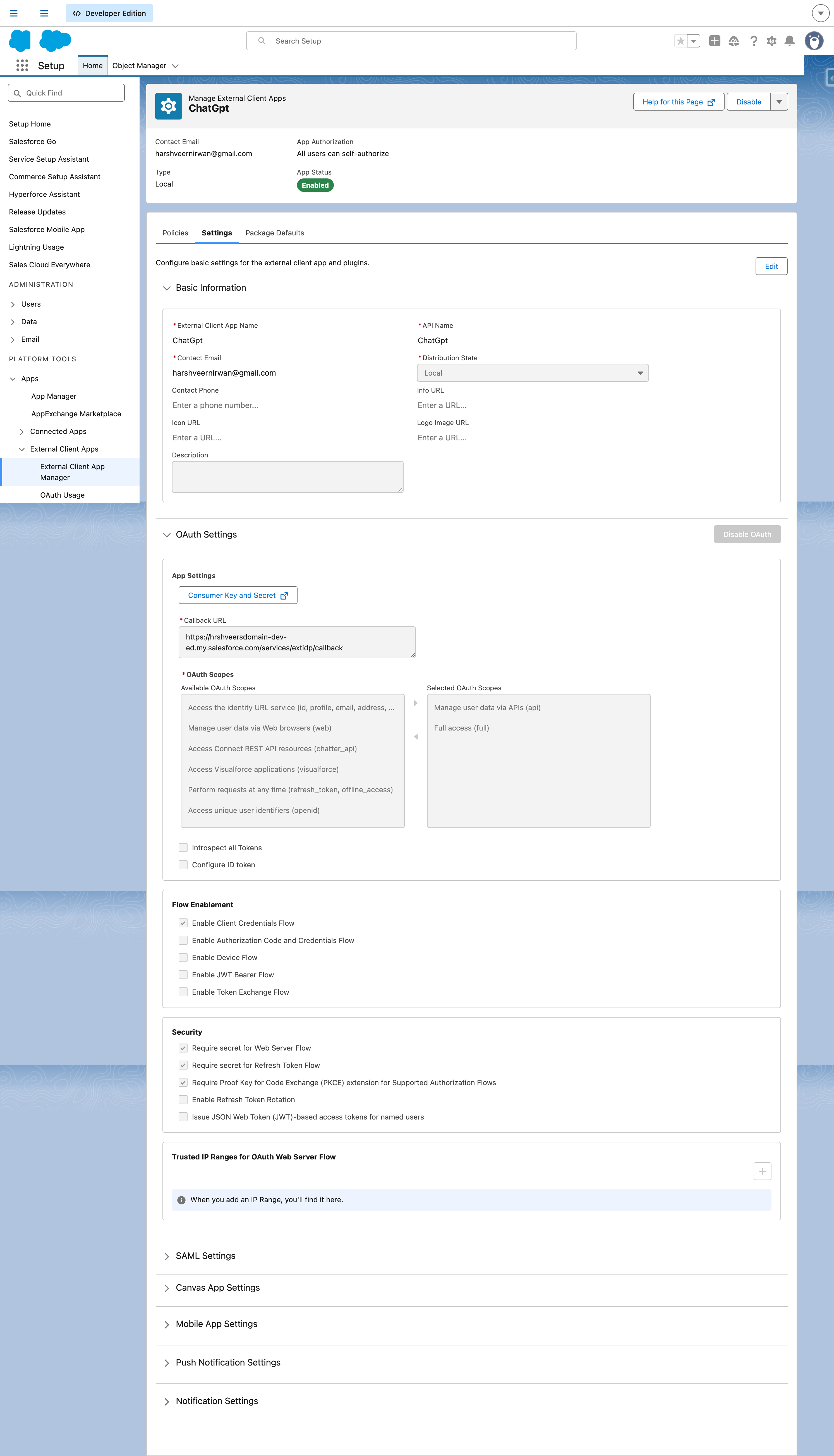
Open images in a new tab by right clicking in case not clear.
Permission Set Give access to External Creds and then add Principal User

👉 Purpose: Secure authentication + API access
Endpoint used:
/services/data/v60.0/sobjects/Lead📌 Why Lead?
📌 Optional fields:
Your backend does:
👉 This is your integration brain

Since backend is local:
Use ngrok to create public URL
⚠️ Note: Free ngrok URL changes on restart

Create GPT: 👉 Salesforce Lead Creator
Configure:
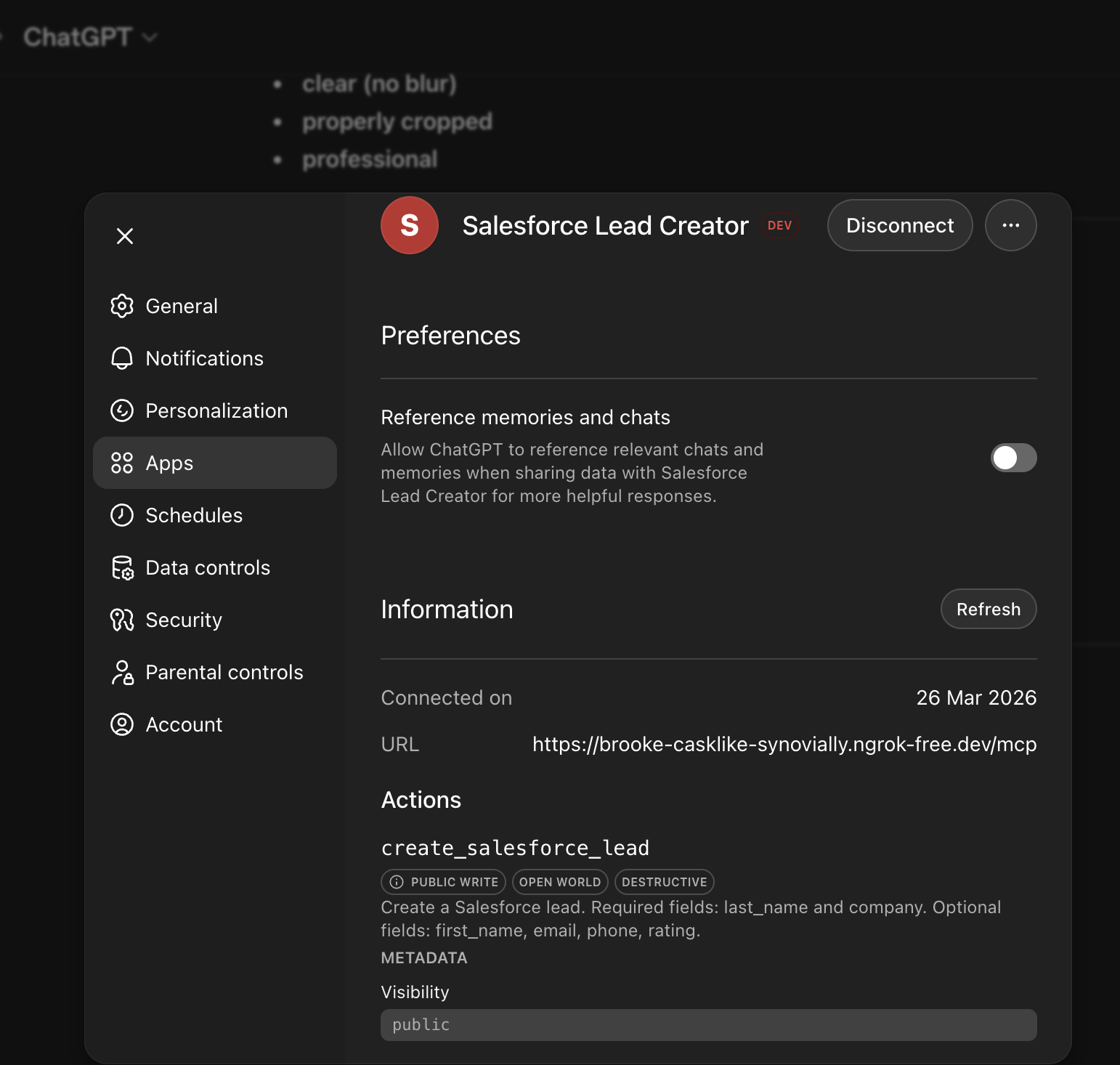
👉 This makes AI usable via natural language
This is written in python and it handles:
👉 Helps understand AI → backend communication
import requests from fastmcp import FastMCP mcp = FastMCP("Salesforce Lead App") @mcp.tool( description="Create a Salesforce lead. Required fields: last_name and company. Optional fields: first_name, email, phone, rating." ) def create_salesforce_lead( last_name: str, company: str, first_name: str | None = None, email: str | None = None, phone: str | None = None, rating: str | None = None, ): payload = { "firstName": first_name, "lastName": last_name, "company": company, "email": email, "phone": phone, "rating": rating, } response = requests.post( "http://127.0.0.1:8000/create-lead", json=payload, timeout=30, ) response.raise_for_status() return response.json() if __name__ == "__main__": mcp.run(transport="http", host="0.0.0.0", port=8001)Final flow:
See the above provided demo video again for end-to-end testing of ChatGPT Salesforce Integration
AI alone is limited AI + Salesforce = action
If you know:
👉 You are already ahead
You don’t need big projects
👉 One use case = huge learning
👉 Especially when AI is the caller
Understand business flow + data
Focus on APIs + backend
Translate business use cases
Think system-level design
You may face during ChatGPT Salesforce Integration :
👉 Totally normal — this is learning
This was a small project…
But it showed something powerful:
AI + Salesforce is not theory. It’s buildable.
👉 You don’t need to start big 👉 Just start building
Yes — when the client is an AI-based systems , like chatgpt in our scenario
Yes — Salesforce Lead API
Yes — tested on Developer Org
👉 AI becomes powerful when connected to real systems like we saw here in ChatGPT Salesforce Integration
If you’re:
👉 Build something like this ChatGPT Salesforce Integration once
It will teach you:
Checkout my other blogs articles : https://www.thetechnologyfiction.com/blog/salesforce-spring-25-new-flow-features
Recommended article to read after this : https://help.salesforce.com/s/articleView?id=platform.hosted_mcp_servers_setup.htm&type=5
Share this article
If this helped, share it with someone working through the same problem.
Discussion
Ask a thoughtful question, add context from your own implementation, or share what helped you most.
Only approved comments appear publicly.
Keep reading